
If you’re asking why is my sewing machine not feeding fabric, the fabric staying still while the needle keeps moving almost always points to one of six things: the feed dogs are lowered, they’re clogged with lint, the presser foot isn’t down, the presser foot pressure is too low, the stitch length is set to zero, or the fabric itself is too thick or too slippery for the current setup. Once you know which one it is, the fix usually takes less than five minutes.
It’s a strange thing to watch the needle goes up and down normally, but the fabric just sits there. Before assuming your machine is broken, it’s worth working through this list in order, since most of these causes share the exact same symptom.
- Quick Answer
- Before You Start
- Why Is My Sewing Machine Not Feeding Fabric? Common Causes
- What's Different vs. Other Feeding-Related Problems
- Causes at a Glance
- How to Fix a Sewing Machine That Isn't Feeding Fabric
- Quick Troubleshooting Checklist
- Helpful Tips to Prevent This Going Forward
- Common Mistakes That Make It Worse
- When to Call a Sewing Machine Technician
- FAQs
- Conclusion
- Related Sewing Machine Troubleshooting
Quick Answer
Check the feed dog lever first many machines have a small switch or dial (often marked with dots or a drop-feed icon) that lowers the feed dogs for free-motion sewing or darning. If that’s been bumped or left down from a previous project, the machine will run but the fabric won’t move at all. Flip it back up and try again before checking anything else.
Before You Start
Turn off and unplug the machine, then remove the fabric and needle plate cover so you can actually see the feed dogs. Have a soft brush on hand for lint, and keep a scrap of your project fabric nearby to test with after each check.
Why Is My Sewing Machine Not Feeding Fabric? Common Causes
Feed Dogs Are Lowered
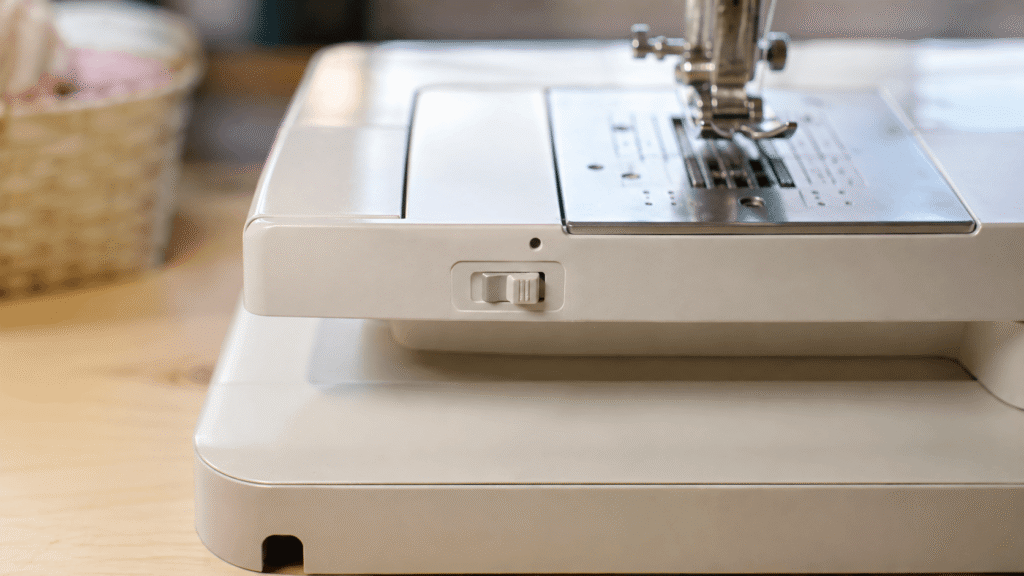
Most machines have a lever, switch, or small cover plate that drops the feed dogs the small metal teeth that grip fabric from underneath for free-motion quilting or darning. If this was used for a past project and never switched back, the machine sews perfectly in every other way, except the fabric never advances.
Feed Dogs Clogged With Lint
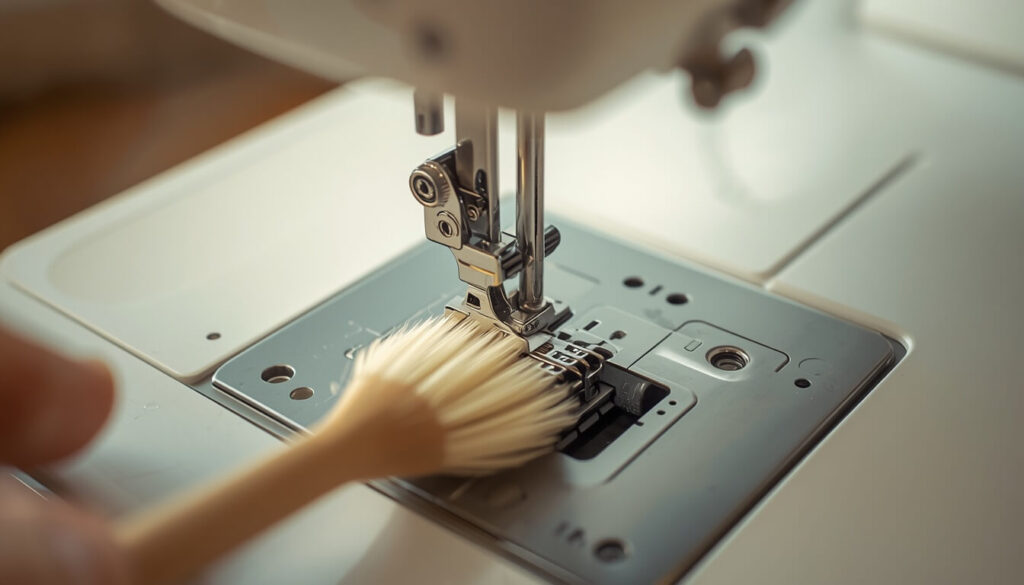
Lint and thread scraps build up in the slots around the feed dogs over time, especially in the corners where the teeth meet the needle plate. Once enough collects, the teeth can’t rise fully, so they barely graze the fabric instead of gripping it firmly.
Presser Foot Isn’t Lowered
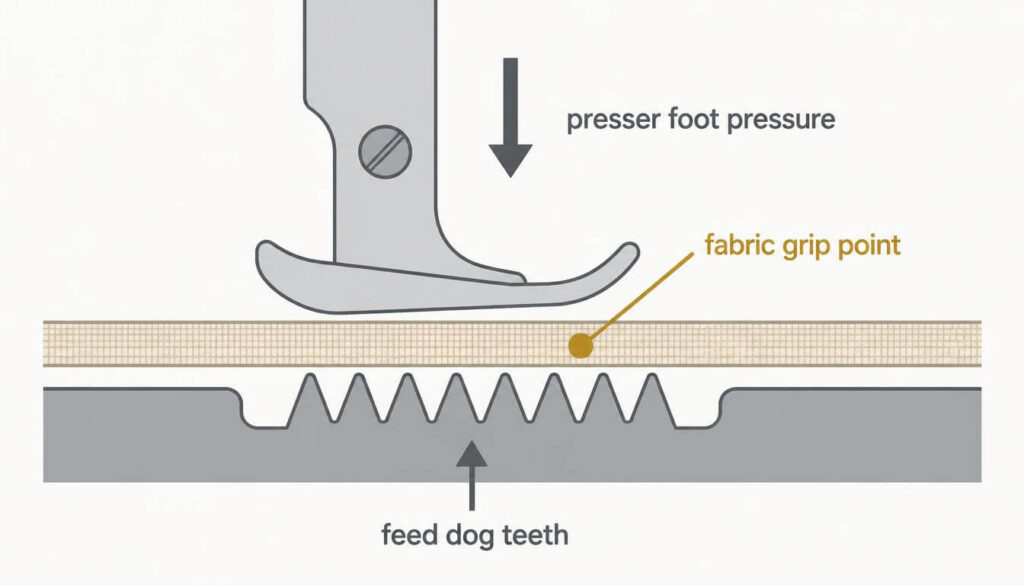
This is one of the most common mistakes, especially on older machines without a warning reminder. Feed dogs only grip fabric when the presser foot is pressing it down against them with the foot up, the teeth just spin uselessly underneath.
Presser Foot Pressure Set Too Low
Many machines let you adjust how hard the presser foot pushes down on the fabric. If that pressure dial got turned down sometimes accidentally while cleaning the feed dogs won’t have enough grip to pull the fabric through, even with the foot lowered.
Stitch Length Set to Zero
A stitch length dialed down to zero tells the feed dogs to move the fabric zero millimeters per stitch. The needle punctures the same spot repeatedly instead of advancing, which can look identical to a feed dog problem at first glance.
Fabric Too Thick or Too Slippery
Very bulky fabric, like faux fur or several layers of quilt batting, can sit too high for the feed dogs to fully engage, especially with a standard presser foot. On the opposite end, thin, slippery fabrics like silk or satin can slide right past the teeth instead of catching. Both situations usually need a different foot — a walking foot for bulk, or a straight-stitch foot with tissue paper or stabilizer underneath for slippery fabric.
What’s Different vs. Other Feeding-Related Problems
Fabric refusing to move is its own specific issue, separate from a few related symptoms worth ruling out first:
- If the needle itself is bending or snapping while this happens, that points to a different root cause — see our guide on why sewing machine needles keep breaking.
- If the machine feels physically stuck or won’t move the handwheel at all, that’s a jam, not a feeding issue.
- If you’re also hearing a knocking or grinding sound while this happens, check our guide on why a sewing machine makes noise — worn feed dogs can sometimes cause both symptoms together.
Causes at a Glance
| Symptom | Likely Cause | Quick Fix |
|---|---|---|
| Fabric completely still, needle moves fine | Feed dogs lowered | Flip drop-feed switch back up |
| Fabric moves slowly or unevenly | Lint clogging feed dogs | Brush out lint under needle plate |
| Fabric doesn’t move at all with foot down | Presser foot pressure too low | Increase pressure dial |
| Needle punctures same spot repeatedly | Stitch length set to zero | Reset stitch length to 2.0–2.5mm |
| Fabric bunches or won’t advance on thick layers | Fabric too bulky for foot | Switch to a walking foot |
| Fabric slides without catching | Fabric too thin or slippery | Add tissue paper or stabilizer underneath |
How to Fix a Sewing Machine That Isn’t Feeding Fabric
- Check the feed dog lever or switch first — it’s the fastest fix and the most commonly overlooked cause.
- Lower the presser foot fully and confirm it clicks into place.
- Check the stitch length dial and reset it to a standard length like 2.0–2.5mm.
- Remove the needle plate and brush out any lint or thread scraps around the feed dog teeth.
- Check presser foot pressure, if your machine has an adjustable dial, and increase it slightly.
- Test on a scrap of your actual fabric — if it’s especially thick or slippery, switch to the appropriate foot before returning to your project.
- Turn the handwheel by hand a few times while watching the feed dogs rise and fall, to confirm they’re moving correctly before sewing again.
Quick Troubleshooting Checklist
- Feed dog lever is up, not set to drop-feed
- Presser foot is fully lowered
- Presser foot pressure is set correctly, not too low
- Stitch length is not set to zero
- Feed dogs are free of lint and thread buildup
- Fabric weight matches the presser foot in use
- Fabric isn’t sliding add stabilizer if slippery
Helpful Tips to Prevent This Going Forward
A simple way to think about it is checking the feed dog switch every time you finish a free-motion or darning project that single habit prevents the most common cause of this issue. In most cases, brushing out lint from around the feed dogs at the end of a project, not just when problems start, keeps them gripping fabric consistently over time.
Common Mistakes That Make It Worse
Forcing the fabric through by hand when it won’t feed is the biggest one pulling fabric while the feed dogs are lowered or clogged can bend the needle or throw off the machine’s timing, turning a simple fix into a bigger repair. Switching to a heavier fabric without changing the presser foot is another common mistake that leads straight back to the same feeding problem.
When to Call a Sewing Machine Technician
If you’ve checked the feed dog lever, cleaned out lint, confirmed the presser foot pressure and stitch length, and the fabric still won’t move especially if the feed dogs look visibly worn down or don’t rise evenly on both sides that points to a mechanical or timing issue that needs a professional’s tools to diagnose properly.
FAQs
Conclusion
Fabric that won’t feed is almost always traceable to something simple a lowered feed dog switch, lint buildup, low presser foot pressure, or the wrong stitch length. Work through the checklist above in order, and in most cases you’ll be sewing smoothly again without needing a repair visit.
Working out how much fabric your next project needs? Try the Fabric Yardage Calculator before you start cutting.